



Why use the app?
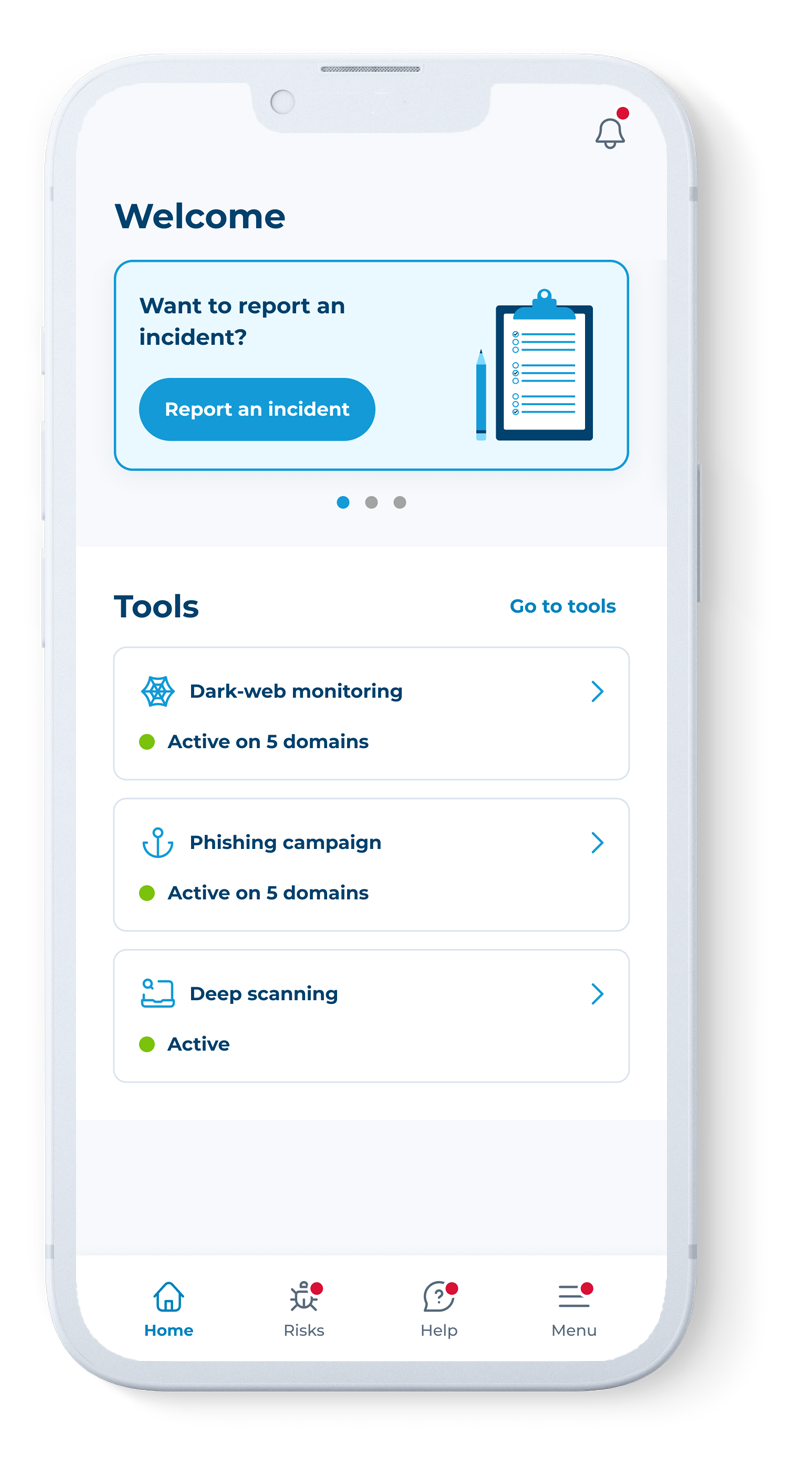
Prevent cyber attacks and protect your business with CFC’s mobile app for cyber. With the app, you can:

Report an incident
Think you’ve suffered a cyber event? Notify our specialist team directly in the app and get a call back in 15 minutes or less.

Personalized threat alerts
Using data from threat intelligence feeds, the dark web, network scanning and our own real-life claims, we’ll notify you of any specific threats targeting your business and offer guidance on how to remediate vulnerabilities.

Access cyber security tools
Use the app to access tools like dark web monitoring, deep scanning, phishing simulations, and more.

Get cyber security advice
Reach out to our specialist team for help with cyber risk mitigation, best practices, cybersecurity services on offer, and more. We’re here to help.
Report an incident
Think you’ve suffered a cyber event? Notify our specialist team directly in the app and get a call back in 15 minutes or less.
Access cyber security tools
Use the app to access tools like dark web monitoring, deep scanning, phishing simulations, and more.
Get cyber security advice
Reach out to our specialist team for help with cyber risk mitigation, best practices, cybersecurity services on offer, and more. We’re here to help.
Personalized threat alerts
Using data from threat intelligence feeds, the dark web, network scanning and our own real-life claims, we’ll notify you of any specific threats targeting your business and offer guidance on how to remediate vulnerabilities.
Find your policy decryption key
Cyber customers can find their policy decryption key within the app. The only way to unlock your policy documents.
Watch a demo
Learn more about our mobile app for cyber, Response, or download now.
FAQs
You'll need to register with your work email that has the same domain as the website that was provided to CFC when your policy incepted. For example, johndoe@cfc.com when registering for the company www.cfc.com. You can then use Face ID or a magic email link to login from now on.
You can access a range of free cyber security tools, only available to app users, via the Tool view on the home screen once you log in. These tools include:
Phishing simulation – this is a simulated email campaign that goes out to selected users of your team. These emails are designed to resemble phishing attempts in order to show users how easy it is to be deceived and to raise awareness of this type of criminal tactic.
Dark web monitoring – this tool scours the dark web for information relating to your business, including corporate login credentials and other breaches of sensitive data relating to your domain name.
Deep scanning – this service actively scans your business’s network footprint to identify claims-correlated vulnerabilities that could lead to cyber-attacks or ransomware.
If you get an alert, make sure you read the full detailed report that will be included within the notification. Each alert will be different and may have different actions. If in doubt, please reach out on our “Ask the expert” chat function.
Our real-time critical threat alerts will be your first backstop of protection. Through proactive cyber attack prevention technologies, our team can spot problems fast and send you critical alerts with guidance on how to mitigate any issues.
“Ask the Expert” chat function provide access to cybersecurity advice and best practice guidance from our in-house experts. Support they can provide includes:
- Cybersecurity best practices e.g. “How do I set up multi-factor authentication for my team?”
- Incident prevention e.g. “How do I securely configure remote access for employees?”
- Domain management e.g. “I have an additional domain to be added to my account. Can you please add this?”
You can see our full list of FAQs here. Alternatively you can email us at customersupport@cfc.com or call +1 (332) 237 5600.